

Full-Stack AI
Development environment for the age of AI.

You've probably seen many headlines claiming that coding will become obsolete and AI will replace developers. This isn't the first time such predictions have been made. No-code tools like Squarespace, Joomla, and Wix all launched between 2004 and 2006 and gained widespread popularity, yet professional developers are still in high demand. Instead of disappearing, we've shifted toward building more complex projects, leaving simple landing pages to the no-code solutions. However, the development environment is evolving rapidly, and in this article, I'll present a new project setup that leverages AI to enhance—rather than replace—the developer workflow.
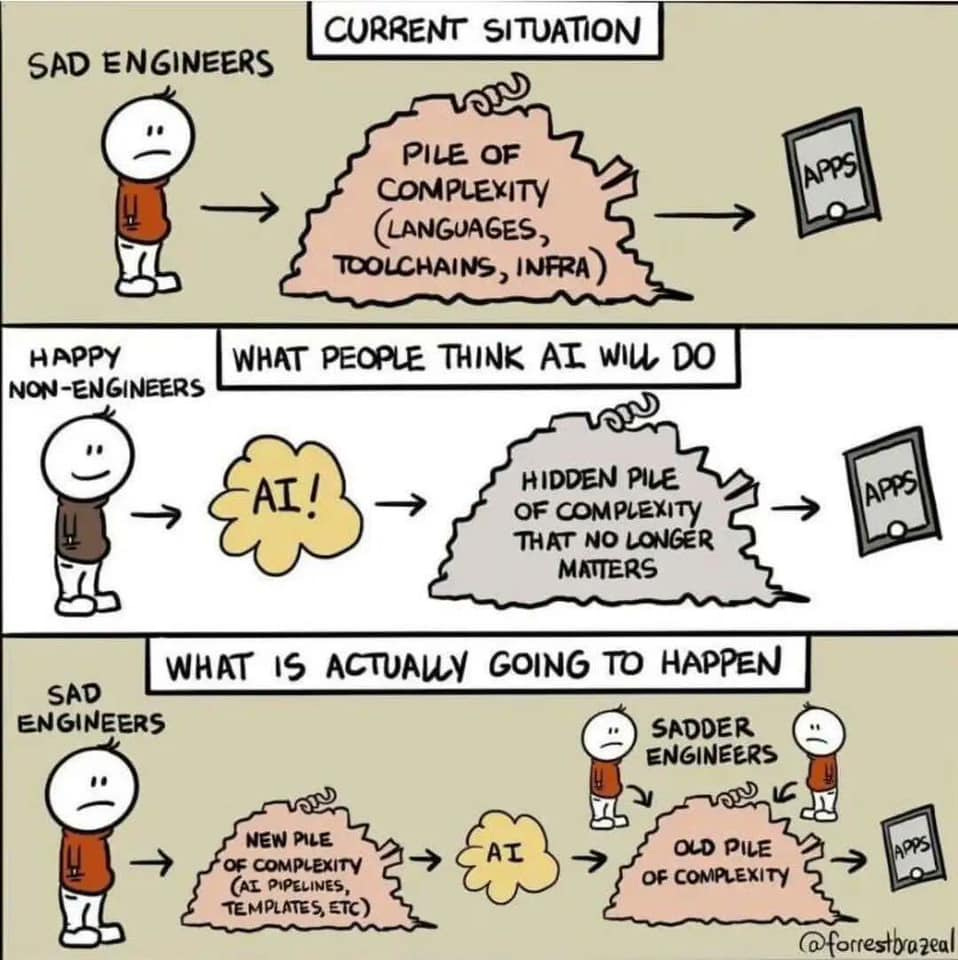
New pile of complexity
Most development projects begin with establishing a folder structure. The structure below suggests a monorepo approach for housing both frontend and backend code in a single repository.
project-repo/
├── engine/
├── graph/
├── docs/
├── templates/
├── frontend/
└── backend/
Engine
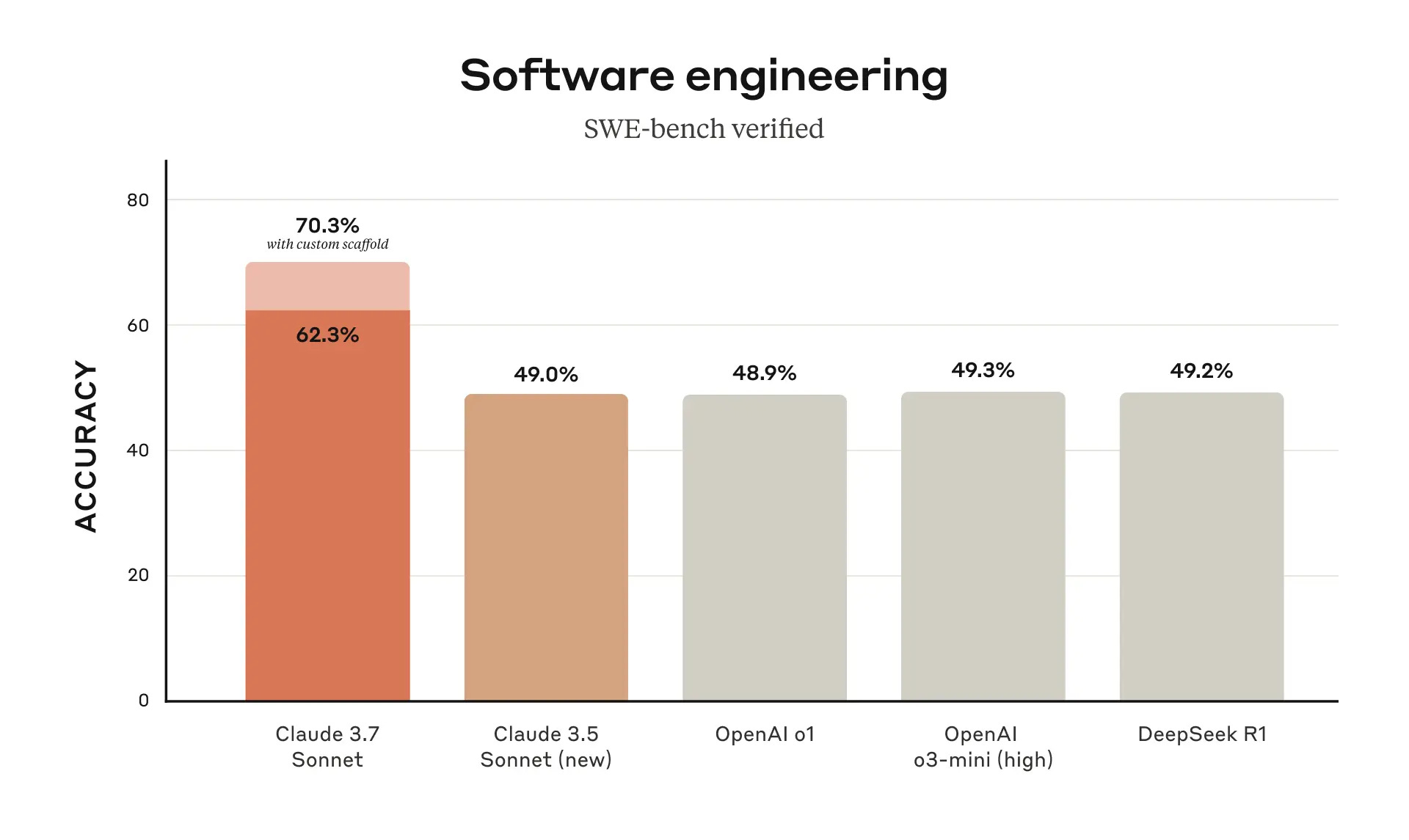
The engine directory houses our project's AI developer. This AI engine requires access to the filesystem and needs the capability to execute git commands. In addition, we need an Interface to communicate with the engine. While any AI model can be used, here are the latest benchmark results for different models:
Graph
Every model has limitations in how many input tokens they can process, which means we can't feed our engine all of our project's code at once. Additionally, lengthy AI conversations tend to increase the likelihood of hallucinations. To address these challenges, we implement a project graph that connects all the components in a structured way. This graph serves as a knowledge representation of our codebase, mapping relationships between files, functions, and dependencies while requiring far fewer tokens than the actual code. Paired with a lightweight file system to initiate new tasks efficiently, this approach allows our AI engine to understand the project's architecture without needing to process the entire codebase simultaneously.
Docs
The docs folder serves as a bridge between human and AI understanding, housing critical documentation on architecture, APIs, business logic, domain knowledge, and constraints. This shared knowledge foundation reduces token usage by summarizing complex concepts in natural language rather than requiring the AI to process all code. It ensures both human developers and AI assistants work from the same information base, maintaining consistency in the project's conceptual framework while providing stable reference points for development decisions.
Templates
The templates folder contains reusable code patterns that the AI engine can use when generating new components. This provides:
Consistency across the codebase by enforcing standard patterns.
Efficiency by giving the AI pre-approved starting points rather than creating everything from scratch.
A collaboration mechanism where humans design templates and AI implements them.
Frontend and Backend
The frontend and backend directories maintain typical project structure for their respective components. What makes this approach particularly powerful is that these components don't need to use the same programming language to work together seamlessly, thanks to the graph-based architecture and shared documentation framework.
The development landscape is evolving, but AI won't replace developers—it will enhance our capabilities. This architecture transforms productivity through intelligent collaboration, fundamentally elevating what we can build.
Book a consultation with me to customize this approach for your projects.
or subscribe for more articles like this one.
As someone already working in this environment, I've seen firsthand how these techniques can revolutionize development workflows.